

Operational efficiency
Transparency Drives Efficiency
Creating digital learning content accounts for only part of the total cost. Ongoing work includes updates, reviews, translation, LMS delivery and improvement based on usage data. Scattered documents, authoring-tool licences, repeated export and import cycles, testing and version conflicts all add friction.
The LXMS reduces these costs by managing learning content under version control. Maintenance, translation, review, delivery and analytics become parts of one controlled lifecycle.
The same principle applies to legacy content. The LXMS keeps existing SCORM packages searchable, version-controlled and ready to patch, translate, test and release. Teams can then decide what to retain, correct, localise, migrate or replace based on condition, risk and value.
Savings potential with the LXMS
The return on an LXMS does not come from one feature. It comes from bringing recurring work into a shared lifecycle in which editorial maintenance, translation, review, delivery, versioning and analytics all use the same state.
In a package-based model, every change can trigger a chain of editing, export, testing, upload, approval and documentation. In the LXMS, the same work becomes a controlled update to version-controlled learning content. This reduces both the effort per change and the time spent resolving errors and establishing which version is current.
Illustrative maintenance effort for package-based operations
|
Activity |
SCORM |
LXMS |
Potential savings |
|---|---|---|---|
|
Content changes |
30–90 min |
5–15 min |
70–90% |
|
Export and delivery |
10–20 min |
Removed or replaced by a controlled release |
Less package handling |
|
Test run |
15–30 min |
3–5 min |
80% |
|
Import into the LMS |
10–30 min |
Greatly reduced, depending on the delivery model |
Fewer manual re-uploads |
|
Troubleshooting |
Up to 1 hour |
Significantly reduced |
Less search and clarification effort |
- Activity
Content changes
- SCORM
30–90 min
- LXMS
5–15 min
- Potential savings
70–90%
- Activity
Export and delivery
- SCORM
10–20 min
- LXMS
Removed or replaced by a controlled release
- Potential savings
Less package handling
- Activity
Test run
- SCORM
15–30 min
- LXMS
3–5 min
- Potential savings
80%
- Activity
Import into the LMS
- SCORM
10–30 min
- LXMS
Greatly reduced, depending on the delivery model
- Potential savings
Fewer manual re-uploads
- Activity
Troubleshooting
- SCORM
Up to 1 hour
- LXMS
Significantly reduced
- Potential savings
Less search and clarification effort
For 50 digital learning modules, each changed twice a year, package-based delivery creates substantial maintenance work. Editing the text or media is only one part; teams must also export, test, replace the package in the LMS, document and approve the release, and establish which version is live.
The LXMS does not remove every step, but it brings the work into a structured workflow. Teams update the versioned module, keep releases traceable, retain links between languages and media, and reduce or eliminate repeated uploads. This is particularly valuable for minor corrections, translations, re-releases and version queries.
Illustrative annual calculation
For an organisation with 50 digital learning modules and an average of two changes per year, package-based maintenance can quickly become costly. The calculation includes not only the content edit, but also export, testing, LMS upload, approval, documentation and troubleshooting.
When the same content is managed in the LXMS under version control, the greatest savings arise from recurring corrections, language-version management, media replacement and re-releases. The figures are a conservative comparison rather than a measure of authoring time alone.
|
Effort |
SCORM |
LXMS |
Savings |
|---|---|---|---|
|
Editorial work |
150 hours |
40 hours |
110 hours |
|
Import/export handling |
80 hours |
15 hours |
65 hours |
|
Troubleshooting |
42 hours |
5 hours |
15 hours |
|
Total |
290 hours |
75 hours |
215 hours |
- Effort
Editorial work
- SCORM
150 hours
- LXMS
40 hours
- Savings
110 hours
- Effort
Import/export handling
- SCORM
80 hours
- LXMS
15 hours
- Savings
65 hours
- Effort
Troubleshooting
- SCORM
42 hours
- LXMS
5 hours
- Savings
15 hours
- Effort
Total
- SCORM
290 hours
- LXMS
75 hours
- Savings
215 hours
Illustrative annual cost
|
Hourly rate (€80) |
SCORM |
LXMS |
Savings |
|---|---|---|---|
|
Editorial work |
€12,000 |
€2,400 |
€9,600 |
|
Import/export handling |
€6,400 |
€0 |
€6,400 |
|
Troubleshooting |
€1,600 |
€400 |
€1,200 |
|
Total cost |
€20,000 |
€2,800 |
€17,200 |
- Hourly rate (€80)
Editorial work
- SCORM
€12,000
- LXMS
€2,400
- Savings
€9,600
- Hourly rate (€80)
Import/export handling
- SCORM
€6,400
- LXMS
€0
- Savings
€6,400
- Hourly rate (€80)
Troubleshooting
- SCORM
€1,600
- LXMS
€400
- Savings
€1,200
- Hourly rate (€80)
Total cost
- SCORM
€20,000
- LXMS
€2,800
- Savings
€17,200
Illustrative return over three years
On these assumptions, routine maintenance could produce savings of more than €51,000 over three years. Further potential savings include:
- Reduced authoring-tool licence costs (approximately €1,500 per user per year)
- Lower support costs and fewer technical disruptions
- Faster delivery of digital learning content
Further efficiency potential
Further efficiencies emerge over the longer term through translation, reusable components, releases, media maintenance, analytics and governance. These recurring tasks determine whether learning content remains economical or creates new coordination work with every change.
Compared with SCORM packages, centralised delivery and maintenance in the LXMS can improve efficiency across a range of operational and strategic tasks.
Translation and localisation
Multilingual learning content can be expensive to maintain in a package-based model. Each language version becomes a separate artefact, with its own export, testing, upload and release status. Whenever the content changes, teams must determine which languages are affected and which versions have already been reviewed.
In the LXMS, translations remain linked to their source content. Each language version shares the same structure and stays connected to the relevant terminology, media, review status, version and release. Teams can see at a glance what has been translated, which language versions are out of date and where subject-matter or regulatory changes require another review. This reduces duplication and provides greater certainty about which versions are current.
Reuse and centralised maintenance
Learning content often contains recurring building blocks: safety instructions, definitions, glossaries, standard processes, introductory modules, media or interactions. In package-based operation, such elements are often copied and later maintained several times. This creates redundancy, outdated variants and additional testing effort.
The LXMS manages reusable components within a controlled content model. Changes are made to traceable sources or referenced components rather than scattered copies, reducing duplicate maintenance and improving consistency across the learning portfolio.
Controlled re-releases instead of manual upload chains
For a package-based module, every new delivery requires an operational sequence: provide the package, replace it in the LMS, test it, communicate the change and roll back if a problem appears. More audiences, business units and languages mean more coordination.
In the LXMS, re-release is a controlled release step. The version, variant, approval, delivery route and usage reference remain connected, reducing both upload work and the risk of delivering an incorrect or obsolete version.
Media maintenance and version control
A small media change can have a disproportionate operational impact. A video, image, PDF or audio file may appear in several modules, languages or variants. In a package-based model, teams must identify every affected package and version and generate the required exports again.
In the LXMS, media are managed components linked to their points of use, languages, versions and releases. Media maintenance becomes a controlled content-management task rather than a search-and-replace exercise across individual packages.
Content analytics and quality management
SCORM reporting is often limited to completion, scores and basic progress. That is rarely enough for sound operational decisions. Teams need to know which content is used, where learners drop out, which activities cause difficulty and which sections need revision.
The LXMS relates usage data to content structure, activities and releases. This shows which modules and variants work reliably and where revision is worth the investment. Analytics becomes a basis for maintenance, modernisation and prioritisation, not simply reporting.
Maintenance, governance and risk
Once content remains in use for several years, maintainability, traceability and risk matter as much as the original production cost. If teams cannot establish the current version, identify outdated content or see which language was reviewed most recently, they pay that discovery cost again with every change.
The LXMS manages content under version control. Roles, permissions, review, archiving, recovery, release status and usage data are all part of lifecycle management, reducing effort as well as subject-matter and regulatory risk.
Package-based operations
SCORM is package-based
SCORM’s package-based model means that a change cannot simply update a controlled version. It creates another package that must be exported, tested, uploaded, approved and correctly replaced in the LMS.
Costs arise across editorial work, technical export, LMS handling, quality assurance, troubleshooting and documentation of the current version. Every language and variant multiplies the effort, while teams may still struggle to identify what was delivered, what was approved and which usage data belongs to which version.
Technical risk
Packaged content is also exposed to changes in browser security, cookie rules, iframe behaviour, JavaScript communication and LMS-specific SCORM implementations. Content that has not changed may still need new testing or adaptation.
An LXMS reduces this risk by giving greater control over content, launches, tracking and delivery. Standards such as xAPI, cmi5 and LTI support a more robust data and integration architecture. Existing SCORM modules do not necessarily require immediate migration; the first priorities are to expose risk, maintain reliable launches and modernise where it makes operational and economic sense.
Legacy Content Operations
Controlled management of existing learning content
L&D teams rarely start from scratch. They already manage SCORM packages, video, PDFs, interactive activities and LMS course structures that cannot simply be replaced. This content often needs to remain available while teams make urgent corrections, translate it, meet new regulatory requirements or resolve technical issues.
Legacy Content Operations provides a structured way to manage this content. Its value goes beyond importing SCORM packages: the LXMS supports targeted patches, variants and translation management.
Content remains available while inventory records, review status, patches, translations, releases and usage signals make it easier to manage. Teams can then decide what to keep in use, patch, localise, re-release or rebuild as a native LXMS module. Migration becomes an informed decision rather than a technical prerequisite.
Delivery is part of the model. A SCORM package is imported once rather than repeatedly exported and uploaded. cmi5- or LTI-based delivery can provide content centrally, improve tracking and integrate it more closely with an existing LMS. The section on xAPI, cmi5, LRS and LTI 1.3 explains the technical foundation.
Legacy Content Operations as an efficiency lever
Legacy Content Operations is one important part of the wider LXMS lifecycle. Many organisations need to continue using existing SCORM content. An immediate, wholesale migration is often neither economical nor practical.
The LXMS provides a controlled intermediate step. Existing content is inventoried, managed, versioned, reviewed, translated and assessed for risk before teams decide what to retain, patch, localise, re-release, rebuild in native LXMS structures or replace.
The economic advantage lies in prioritisation. Modernisation becomes a series of decisions based on effort, benefit and risk rather than one large programme. Organisations can invest first where technical condition, regulatory requirements or usage data show the greatest need.
In practice, SCORM can create structural inefficiencies as well as technical constraints. Reuse, central control, language-specific management and modular maintenance can reduce operating costs, errors and time to release.
Learning support for existing content
Many organisations already have learning content in SCORM packages. It can form part of the managed LXMS lifecycle, although the available signals may be limited. Native LXMS modules can represent objectives, activities, sections, media and xAPI/cmi5 references in detail; conventional packages often expose only coarse data such as launch, completion, score, attempt and time spent.
The Learning Companion can support existing content, but the quality of each intervention depends on the available structure and data. It can begin with reliable signals such as time without progress, failed attempts, repetition and abandonment, while revealing where finer learning-design context is missing and which content should be prioritised for modernisation, localisation or native LXMS implementation.
Learner support therefore also contributes to assessment of legacy content. It does not replace modernisation, but helps identify what can remain in use, where a targeted correction is sufficient and where a structured rebuild is justified.
Multilingual content
Translation and localisation
Multilingual learning content can be expensive to maintain in a package-based model. Each language version becomes a separate artefact, with its own export, testing, upload and release status. Whenever the content changes, teams must determine which languages are affected and which versions have already been reviewed.
In the LXMS, translations remain linked to their source content. Each language version shares the same structure and stays connected to the relevant terminology, media, review status, version and release. Teams can see at a glance what has been translated, which language versions are out of date and where subject-matter or regulatory changes require another review. This reduces duplication and provides greater certainty about which versions are current.
Learning design
Designing effective learning experiences
Digital learning is often created through a fragmented chain of tools and handovers. Subject-matter content sits in documents, learning-design decisions circulate through review rounds, storyboards live in spreadsheets, media lists occupy separate folders and implementation takes place in a proprietary authoring tool. Each handover creates friction: information is duplicated, decisions become difficult to trace and later changes require extensive coordination and testing.
Most organisations are not starting from scratch. They already have presentations, PDFs, training materials, video, interactive activities and SCORM packages. This material has subject-matter value, but it can be difficult to review and update, and its original learning-design rationale may no longer be clear. BLX Designer does not automatically turn it into new learning content. Instead, it supports a structured transition: teams analyse the existing material, assess it from a learning-design perspective and transfer it into a robust architecture before rebuilding, localising or modernising it.
This is where BLX Designer begins. It is not a standalone authoring tool, but the workflow-based design and production layer of the BLX Learning Experience Management System. It prepares digital learning content for version control by connecting the subject-matter basis, learning structure, media rationale, review, translation, delivery and subsequent evaluation from the outset.
It creates a consistent path from the initial idea to the module structure in the LXMS: source research and briefing, high-level concept, outline, storyboard, analysis, blueprint, TYPO3 implementation and later evaluation.
At its core, BLX Designer brings research, learning design, storyboarding, implementation and evaluation into one traceable workflow. Learning-design decisions are retained as reviewable artefacts rather than loose comments or external tables. AI can support structure, variants and evaluation, but does not replace subject-matter approval. Runtime data can be related back to the original learning structure and used to improve the content.
BLX Designer combines learning design, AI assistance, editorial quality assurance and technical implementation in a continuous process for creating effective learning experiences.
Learning design as a reviewable process
In BLX Designer, learning design is not a quality layer added at the end. It is a reviewable part of production. Learning objectives, capability references, activities, evidence and media decisions are recorded so that the relationships between them remain visible.
The framework combines capability-based design, measurable learning objectives, Understanding by Design, Cognitive Load Theory and Bloom’s taxonomy. These are not abstract references: objectives are checked for measurability, activities for alignment with the target level, evidence for completeness and complex sections for their cognitive load.
The resulting learning structure supports not only initial production, but also review, translation, updates, re-releases and evaluation.
From storyboard to digital learning module
The storyboard is a critical point of transition: the design becomes tangible pages, media, questions and activities. To maintain coherence, every component retains an explicit link to its learning objectives, activities and evidence.
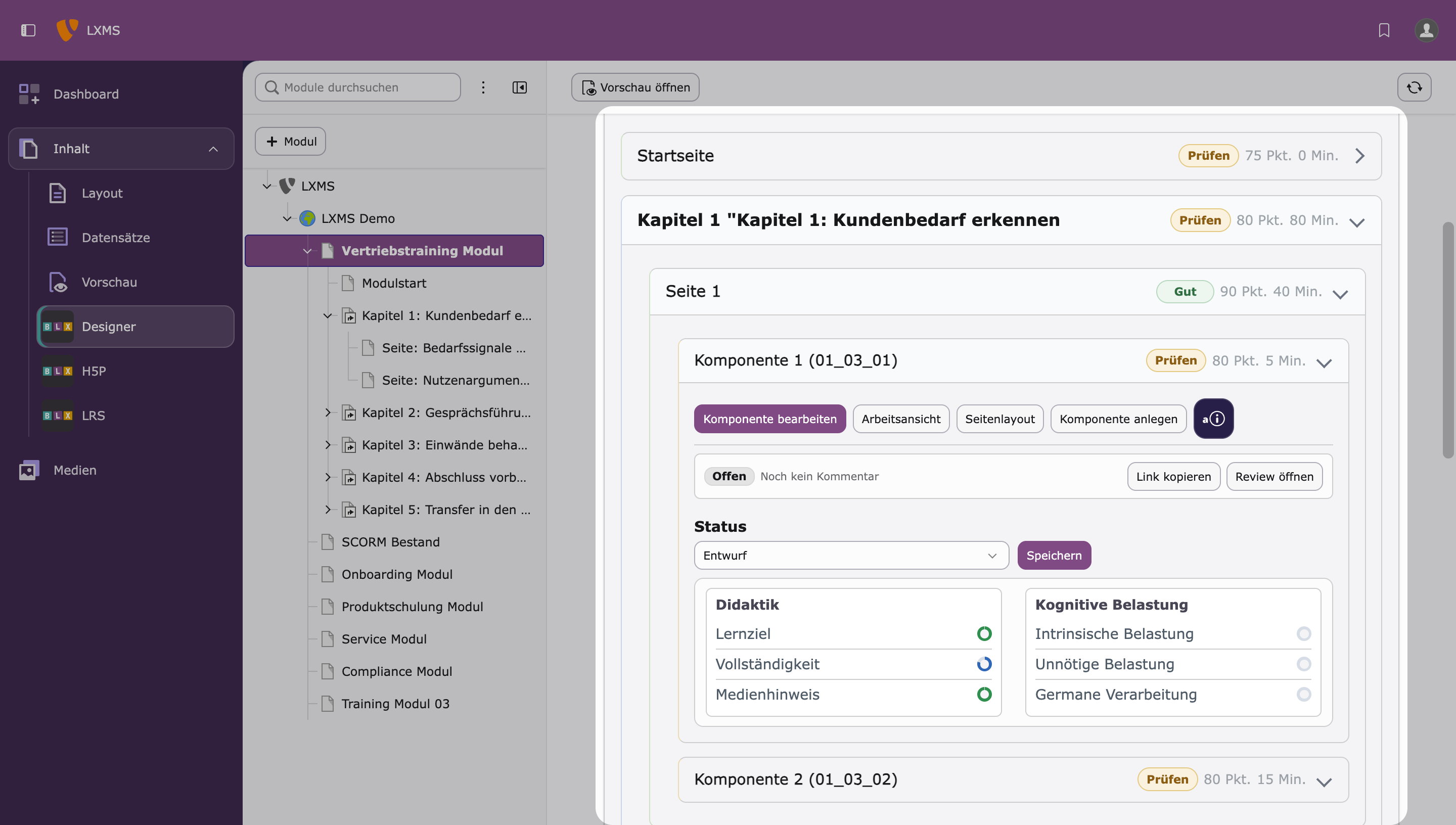
BLX Designer brings together the storyboard, media requirements and interaction logic. Each section can record its objective, narrative, activity, format, duration, Bloom level, UbD stage, CLT strategy and evidence reference. Media are described and selected within the section rather than managed separately.
This is particularly important for multilingual or audience-specific learning content. Localisation may affect examples, screenshots, voice-over scripts, imagery, legal notices, terminology and interactions as well as text. BLX Designer keeps these requirements visible in the storyboard so that localisation does not become disconnected rework on a finished package.
Media requirements are specific to each section; choices of images, video and interactive activities remain traceable; and licence and source details stay in context. Media become purposeful components of the learning activity rather than decoration added later.
Blueprint and implementation in the LXMS
After subject-matter and learning-design approval, BLX Designer generates a blueprint as the structured basis for implementation. It describes the planned module in a form that can be processed and implemented in the LXMS.
The blueprint contains more than a page structure. It carries forward the relevant learning-design references from the high-level concept, outline and storyboard, preserving the link between planning and implementation.
During implementation, BLX Designer creates module structures in the LXMS, selectively adds to or replaces existing structures, and turns storyboard decisions into editable components. The blueprint describes a defined content version, including its structure, media and learning-design references, review state, language and variant logic, and the information needed for delivery and evaluation.
For existing content, the blueprint also supports informed decisions. An old SCORM or Storyline course need not be reproduced blindly: teams can identify what to retain, which structure to rethink, what media to reuse and which sections to rebuild natively in the LXMS.
This reduces the familiar disconnect between the design document and the production system. Teams no longer need to interpret changes manually from spreadsheets or presentations; a structured design process carries them through to implementation.
Iteration between design phases
BLX Designer does not treat its design phases as a one-way sequence. Research, briefing, high-level concept, outline, storyboard, analysis and blueprint each produce a distinct output while remaining connected. If a later phase reveals an unclear objective, an overlong section, an unreliable source or an unsuitable interaction, the issue can be taken back to the relevant earlier phase.
This iteration is not an export mechanism; it is learning-design feedback within production. Every phase produces a reviewable result and tests whether earlier assumptions still hold.
BLX Designer’s efficiency does not come simply from faster writing. Its greater value lies in fewer system breaks, less duplicate maintenance and clearer handovers between subject-matter design, storyboarding, media production, technical implementation and review.
A shared structure makes briefs easier to compare. Sources and existing content remain traceable, objectives become measurable earlier, and storyboards retain their connection to the concept because they belong to the same artefact chain. Media decisions are made in context, while review gates reveal gaps before they become costly to fix.
This matters particularly to organisations with a large learning portfolio that requires regular updates or multilingual delivery. BLX Designer can reduce production time as well as the effort involved in coordination, translation, version queries and re-releases.
The result is an iterative process: research informs the brief; the high-level concept shapes the outline; the outline shapes the storyboard; and storyboard data feeds the analysis. The analysis can send work back to any earlier phase. The blueprint is therefore both the final step before implementation and a practical check that the proposed learning architecture can be delivered consistently.
In practice, changes return to the right place: source gaps go back to research, storyboard gaps to the structure, and blueprint issues reveal where the concept or storyboard needs refinement. The process remains traceable through multiple iterations.
BLX Designer replaces a rigid waterfall with connected, reviewable phases. Each result can be tested, revised and fed back into the wider process, improving quality, speed and traceability.
Efficiency potential in the production process
BLX Designer does more than save time on individual content items. Its greater value comes from fewer handovers, less rework and better reuse throughout production.
|
Typical challenge |
Added value with BLX Designer |
|---|---|
|
Briefings are incomplete or inconsistent |
Structured fields and AI-supported proposals |
|
Source material is unclear or scattered |
Source research with extracts, topic clusters and references |
|
Learning goals remain too general |
Measurable objectives and review gates |
|
Storyboards lose their link to the concept |
A continuous artefact chain from high-level concept to blueprint |
|
Media decisions are late and disconnected |
Media and asset management within each section |
|
Quality is only checked at the end |
Analysis dashboard and gate logic in the workflow |
|
Implementation requires a manual handover |
Blueprint-based TYPO3 structure generation |
|
Later changes create rework |
Iteration between research, high-level concept, storyboard, analysis and blueprint |
|
Evaluation is difficult to add later |
xAPI/cmi5 references are incorporated during planning |
- Typical challenge
Briefings are incomplete or inconsistent
- Added value with BLX Designer
Structured fields and AI-supported proposals
- Typical challenge
Source material is unclear or scattered
- Added value with BLX Designer
Source research with extracts, topic clusters and references
- Typical challenge
Learning goals remain too general
- Added value with BLX Designer
Measurable objectives and review gates
- Typical challenge
Storyboards lose their link to the concept
- Added value with BLX Designer
A continuous artefact chain from high-level concept to blueprint
- Typical challenge
Media decisions are late and disconnected
- Added value with BLX Designer
Media and asset management within each section
- Typical challenge
Quality is only checked at the end
- Added value with BLX Designer
Analysis dashboard and gate logic in the workflow
- Typical challenge
Implementation requires a manual handover
- Added value with BLX Designer
Blueprint-based TYPO3 structure generation
- Typical challenge
Later changes create rework
- Added value with BLX Designer
Iteration between research, high-level concept, storyboard, analysis and blueprint
- Typical challenge
Evaluation is difficult to add later
- Added value with BLX Designer
xAPI/cmi5 references are incorporated during planning
This is particularly relevant to organisations that maintain many modules, update content regularly or evaluate digital learning systematically. The more modular, multilingual or audience-specific the learning portfolio, the greater the value of a central, traceable production model.
Analytics and quality
Content analytics and quality management
SCORM reporting is often limited to completion, scores and basic progress. That is rarely enough for sound operational decisions. Teams need to know which content is used, where learners drop out, which activities cause difficulty and which sections need revision.
The LXMS relates usage data to content structure, activities and releases. This shows which modules and variants work reliably and where revision is worth the investment. Analytics becomes a basis for maintenance, modernisation and prioritisation, not simply reporting.
Learner support as a measurable intervention
Unlike static or heuristic help text, the BLX Learning Companion makes its guidance and the learner’s response measurable through xAPI and the LRS.
Recorded events can include displaying guidance, requesting an AI-assisted clarification, showing the response and marking a recommendation as completed.
Guidance becomes a measurable intervention. Its reach and use can be evaluated, providing a basis for systematic improvement.
These events should not be evaluated in isolation. They remain linked to the learning content, version, language, section and intervention pattern so that teams can distinguish between generally effective guidance, a problem in one version and a change in learner signals after a revision.
Practical example
Example: from mandatory training to managed learning content
A company needs to update its annual safety training. In a conventional process, the existing SCORM course is copied, edited, reviewed, exported, tested and uploaded to the LMS again. Every language version goes through the same process. A year later, it may be unclear which version is current, which variant was delivered and which usage data belongs to it.
In the LXMS, new and legacy learning content follow the same lifecycle. Demand defines the need, audience, capability requirements, skill gaps, learning objectives, source material and evidence. Design sets out the structure and activities. Product brings modules, existing packages, media, interactive activities and variants together as editable components. Governance records reviews, approvals, versions and releases. Runtime identifies the version in use, while Guidance and Analytics show what works and what should be revised, localised, migrated or replaced.
A recurring re-export project becomes a controlled content-management workflow.